Troubleshooting
Six things go wrong on a first run. Each has a button.
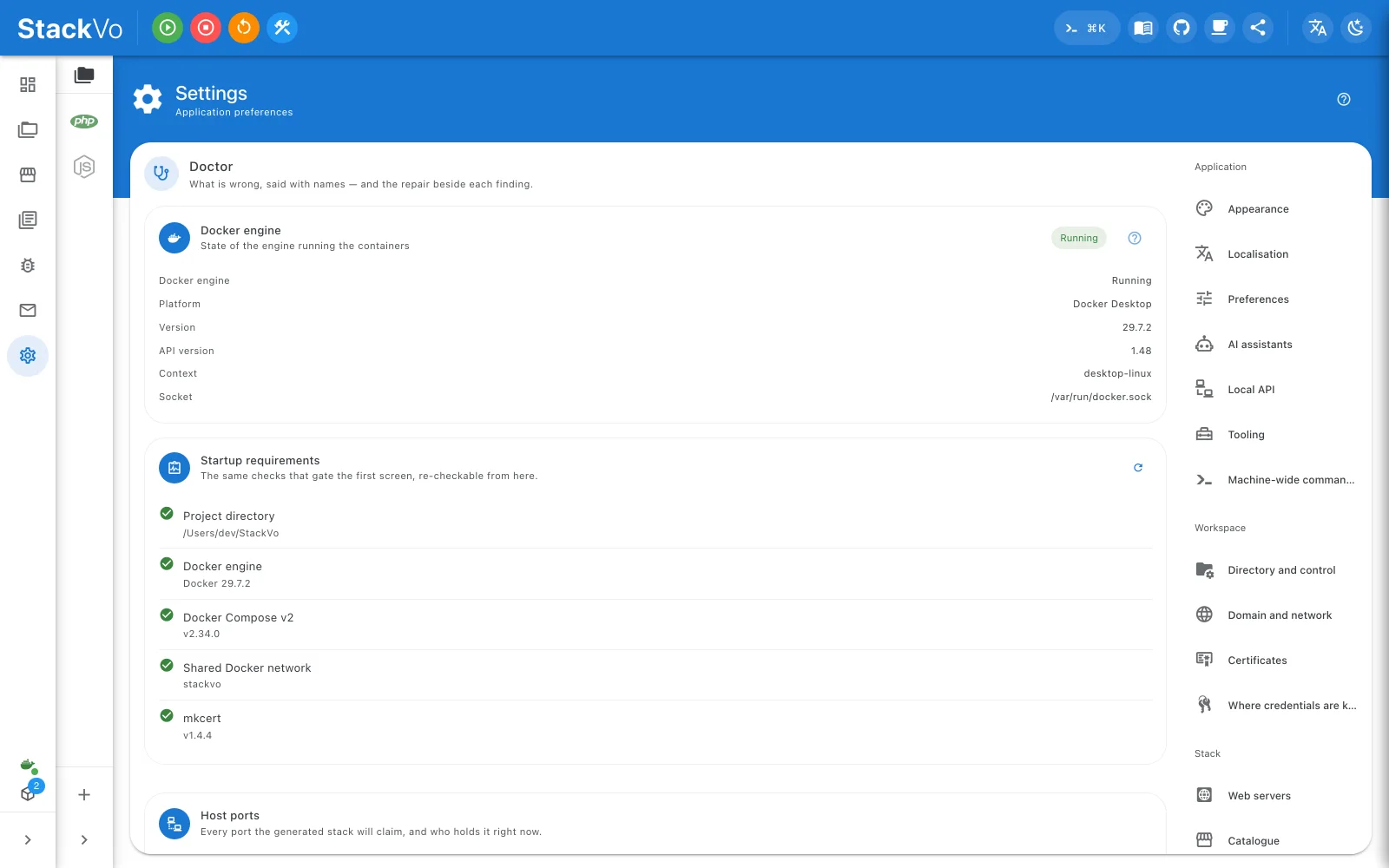
Docker is not running
The dashboard says so and offers to start it. If Docker starts but the app still does not see it, Settings → Doctor → Docker engine shows which socket and context are in use — with more than one Docker installed, that is the first place to look.
The domain does not open
The project row says the address does not resolve and offers Add hosts entry. Accept it; the diff is shown first and you enter your password once. If the browser still cannot reach it, check that nothing else holds ports 80 or 443 — Doctor names the program.
The browser warns about the certificate
Settings → HTTPS certificate shows three things:
| The card says | Do this |
|---|---|
| Needs reissue or a domain under Not covered | Press Reissue the certificate. |
| CA untrusted | Press Trust the CA (in a terminal), then quit and reopen the browser. |
| Trusted everywhere except Firefox | Firefox has its own store; install nss and run the trust step again. |
A Node app answers 502
Your application must bind to 0.0.0.0, not 127.0.0.1. Traefik cannot
reach a server that listens only on localhost.
The first build is slow
The runtime image, and for a template the installer's image, are downloaded once. The build streams Docker's output, so you can see it is moving. The second project of the same kind is quick.
It works on my machine, not on theirs
Settings → Application log → Save a diagnostic bundle writes the log, the checks, the Doctor report and the environment into one archive. Passwords and tokens are redacted as the log is written. Send it, or open theirs with Compare with another machine — what comes back is only what the two machines disagree about: the Docker version, a service one side has on, a PHP version.
Still stuck
Settings → Doctor says what is broken and how to fix it, line by line, with a button beside most findings. If it does not name your problem, ask in Discussions or open an issue — and attach the bundle. The version number alone is rarely enough.