Everyday use
What a normal day in the window looks like: where things are, what a project's page holds, and the three places you will spend most of your time.
The seven pages
The seven pages down the left are the whole application:
| Page | What it is for |
|---|---|
| Dashboard | The machine: CPU, memory, disk, network, running projects, Docker's health |
| Projects | The project list; start / stop / rebuild from the row, open the domain |
| Catalogue | Install services and pick versions; run two instances of one service side by side |
| Logs | Every project's logs in one place, live |
| Dumps | Your application's dump() / dd() output — without printing it to the browser |
| The mail your app sent; HTML preview, search, link checks | |
| Settings | Domain, certificates, PHP, diagnostics, backups, AI assistants |
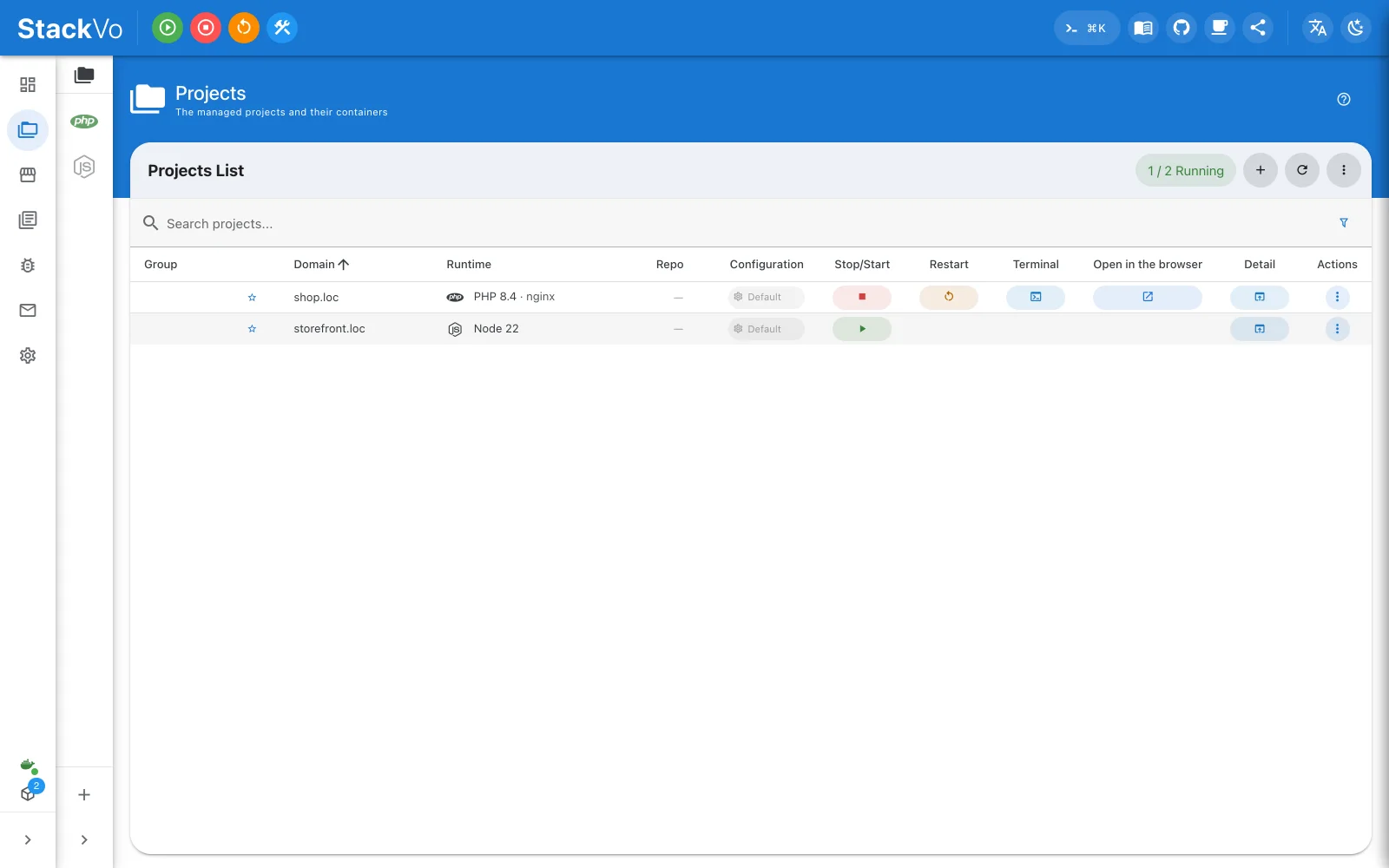
The project page
Clicking a project name opens the project page: 45 panes, each about one subject — Overview, Services, Logs, Terminal, Xdebug, Profiler, Why was this request slow, Snapshots, Worktrees, Share, Production image, Manifest…
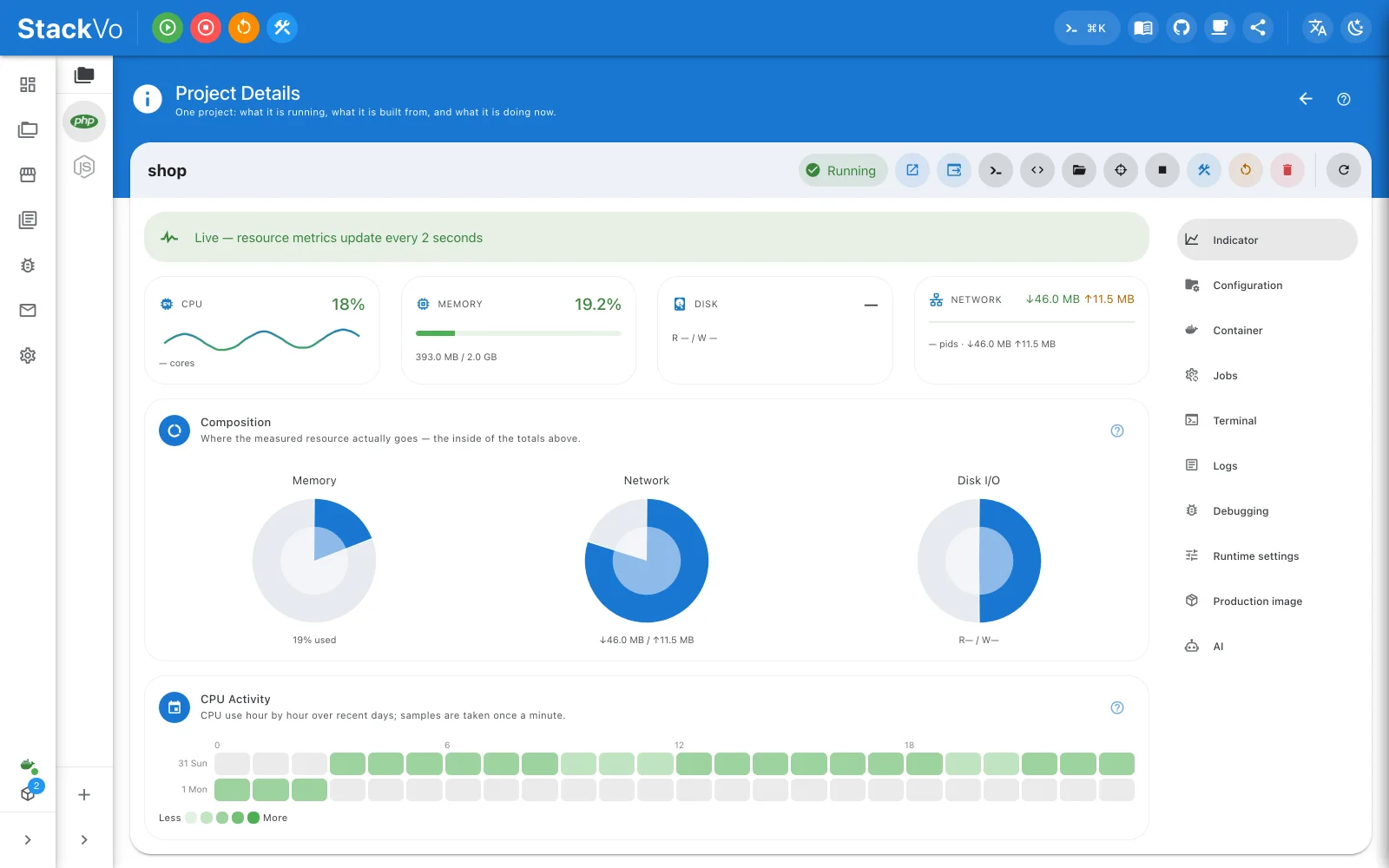
Every pane carries a ? button that explains, in its own words, what it does. Those documents are the In-app help section of this site, word for word.
When something goes wrong
Settings → Doctor says what is broken and how to fix it, line by line — and most findings come with a button that fixes them.
Settings → Application log → Save a diagnostic bundle writes the log, the preflight checks, the doctor report and any crash reports into one archive. Passwords and tokens are redacted as the log is written. Attach it when you open an issue.
If you prefer a terminal
Everything above also has a stackvo command-line equivalent. It is not
needed to use the app — the CLI is there for scripts and CI.