Domains and HTTPS
Every project answers on https://<name>.<suffix>, with a certificate your
browser trusts. Three pieces make that work, and each has a card under
Settings.
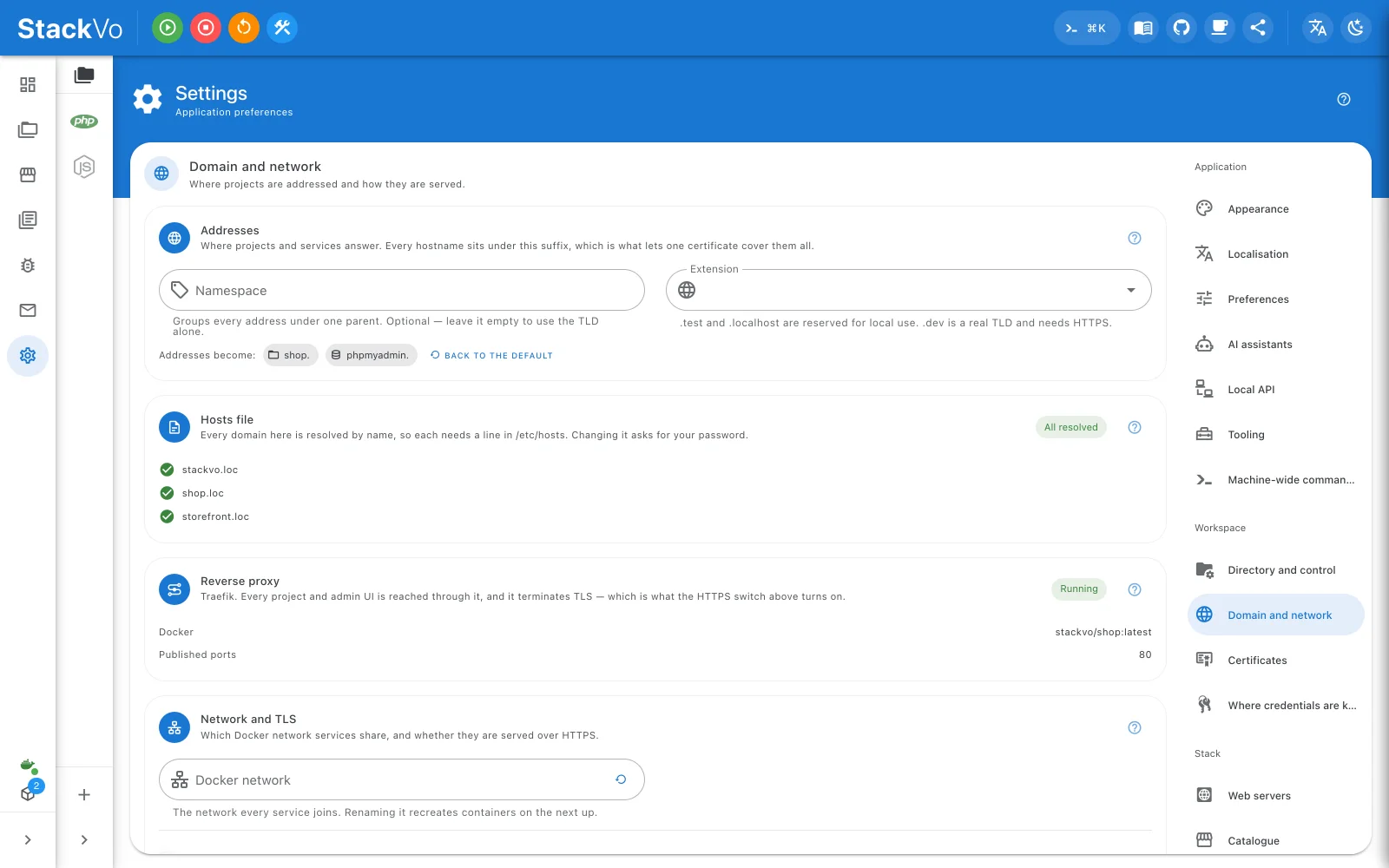
The suffix
Settings → Domain and network → Addresses. Every hostname sits under one suffix, which is what lets one certificate cover them all.
| Suffix | Status |
|---|---|
.test, .localhost |
Reserved for local use. Safe. |
.loc |
Not a registered TLD, and widely used for this. The default. |
.dev |
A real TLD on browsers' HSTS list. Nothing under it opens over plain HTTP. Turn HTTPS on first. |
Changing the suffix needs a new certificate and a regenerate. Existing
projects keep the domain written in their own stackvo.json.
The hosts file
shop.loc reaches this machine because of one line in your hosts file.
Settings → Domain and network → Hosts file shows every line and their state —
resolving, missing, added by hand, no longer needed — and Fix all writes
the missing ones and removes the stale ones in one elevated call. The diff is
shown first, and only the lines between StackVo's own markers are ever
touched.
Wildcards cannot go in a hosts file. For *.shop.loc, use the Local DNS
card.
The certificate
Settings → HTTPS certificate. One wildcard certificate covers the dashboard, every service and every project.
| The card says | Meaning |
|---|---|
| Current | Coverage matches your domains. |
| Needs reissue | A domain was added. Press Reissue. |
| CA trusted | This machine trusts the authority. |
| CA untrusted | Press Trust the CA (in a terminal). On macOS this opens your terminal, because trust can only be changed interactively there. Then reopen the browser. |
Firefox keeps its own store and is filled only if certutil is on the
machine; the card names each store and what to do.
Why not Let's Encrypt?
A public authority validates that you control a name in public DNS.
shop.loc is not in public DNS and never will be, so there is nothing for it
to check. What a public certificate would buy is that other devices trust
it without your CA — and for that, share the project through a
tunnel: the provider terminates TLS with its own certificate.
Aliases
Project → Configuration takes extra names that reach the same project.
They are written into stackvo.json, so a colleague who clones gets them
too. An alias starting with *. goes into the certificate and the router but
cannot go into the hosts file.
On this network
Project → On this network gives the project a name a phone on the same Wi-Fi can resolve, through sslip.io. Nothing leaves the network. The phone does not know your authority, so it gets one certificate warning to accept.